

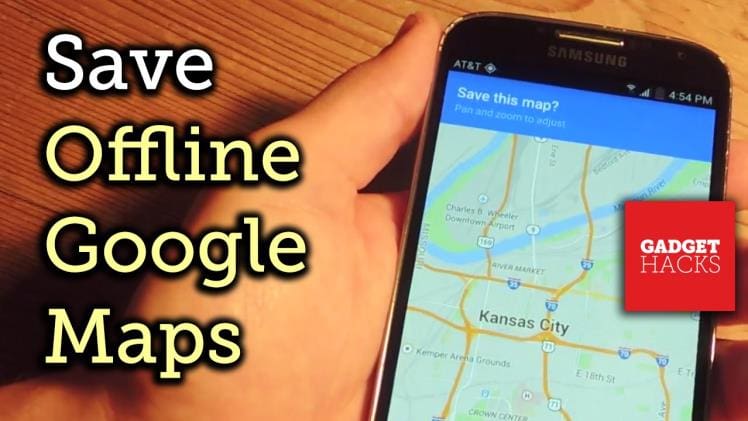
Plus, the resolution of the satellites maintaining this service has been getting better by the year, and now they can place your Uber driver meters from your home just because you want to drive shopping and can’t walk downtown. However, if you happen to be stuck in a place with no network or are travelling outside the US where your smartphone can not connect, there is no reason to worry yourself sick over how to go about the world as you can now download and save maps for offline use on Google Maps. The guided navigation would not work, and you would have to actually spend time reading the map but you wouldn’t be flying blind either.
How To Save Maps
First, look for the location whose map you want to save on Google Maps. Then click on the place name at the bottom of the screen, and you will see the Save option pop up in the middle of the menu. And that will only save the place and not the maps. Just click on the top right corner on your menu button and there you will see “Download Offline Area”. The screen will now take you to a view where you can pinch and zoom to cover the area you want around the destination. Also, you may want to name the map with a tag or label for ease of finding later, but the map is saved by default with the search term.
Time And Size
There are quite some limitations to how you can save offline maps on Google Maps. So firstly,you need to be very careful or cautious so that the maps you have will remain on your phone for just 30 days, after then they will be deleted automatically. Second, you are limited to capturing an area that is 50 by 50 km in size, and anything bigger than this area you will asked to zoom in and cut off. The number of maps for offline access is not limited so best you can do is save a number of smaller maps of the destination.
How To Access Maps
To get to the maps you have saved for your location, go to the menu in the top left corner and choose “Your Places”. There, you will find a list of helpful locations including home and office, a list of your last few locations, favourite places such as restaurants that you have marked and also offline maps.
How To Use Offline Maps
Remember that you are not connected to the internet when using offline maps(that is what they are for) and you can not ask for navigation and directions. If you want to you can rename and also delete your offline map. A list of maps labelled by neighbourhood in a place you are not familiar with(especially when you are travelling) may prove to be very helpful. A thing you can cheer about is that Google has offered to put full-time access to offline maps a priority on its list of things to get done for the Google Maps app. There are other fish in the sea too, but some offer paid subscription and Google Maps offers good enough services.
We think that Google Maps are the way to go around any place nowadays, and we are sure most of you would agree to that. If you have any questions regarding Google Maps, comment below. However do let us know if you like using some other GPS apps and why you prefer it over Google Maps in the comments below as well.
